I run coding agents on several machines at once, in herdr, a terminal multiplexer built for
them. One herdr window on my desk reaches every machine (herdr machine list), and its sidebar lists the agents. The
trouble came with numbers: with agents spread across machines, I kept missing the ones that had stopped to ask me
something.
So I wrote three plugins. (herdr-queues is also up in herdr's Show and tell.)
herdr-queues: who is waiting on me
herdr-queues is a popup (I bind it to prefix+u) listing the agents on
every machine, each with one line of what it needs: the agent's own recap line when it printed one, else the question
on its screen, else its last line. Agents that asked me something come first, then the finished ones.
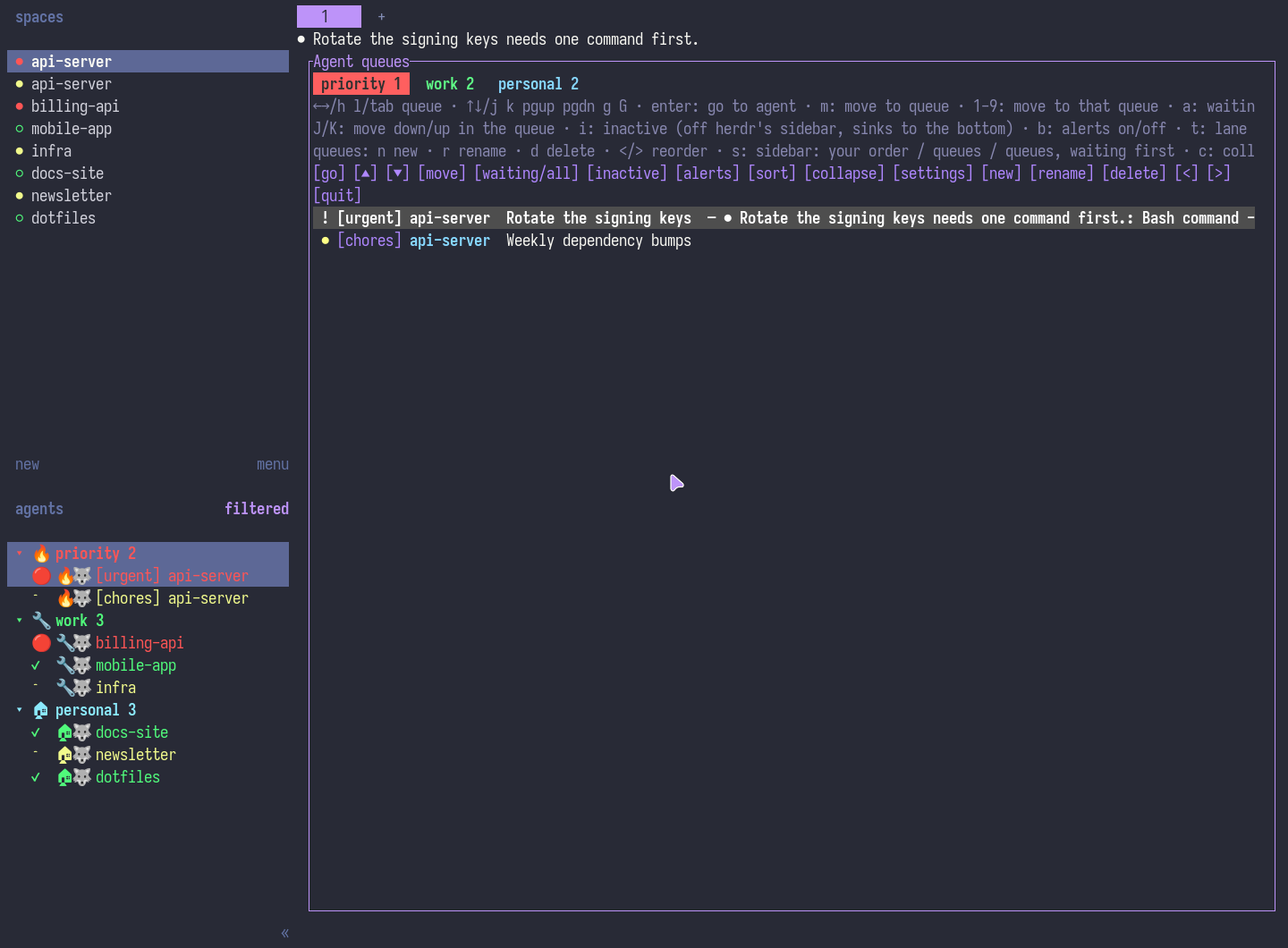
I sort agents into my own queues (work, personal, whatever I name them), the same on every machine, and each tab
counts the ones waiting. Enter jumps to the agent and switches the herdr window to its machine. / searches every
agent everywhere.
Switching machines takes a small watcher on the desk machine, because a plugin can't switch machines yet. The watcher runs on Linux (X11, sway, Hyprland, KDE Plasma, GNOME) and Windows 11; a Mac works as a machine you reach, not as the desk.
herdr-inandout: back to where I was
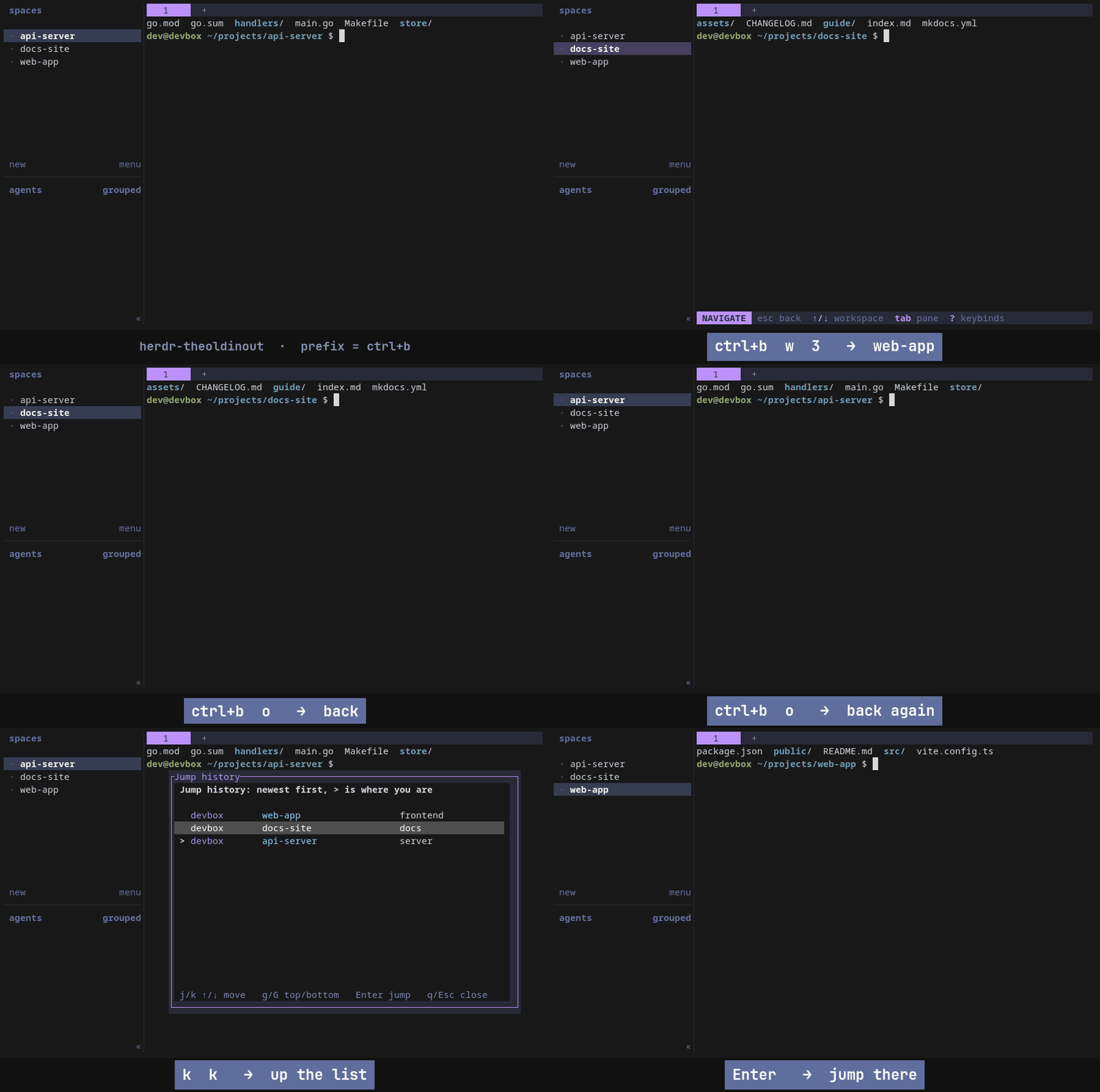
Jumping between agents loses your place. herdr-inandout is vim's jump
list for herdr: prefix+o goes back to the pane I was in, prefix+i forward again, and prefix+shift+i lists the
history so Enter jumps to any of it, across machines.
herdr-machine-icons: which machine is this
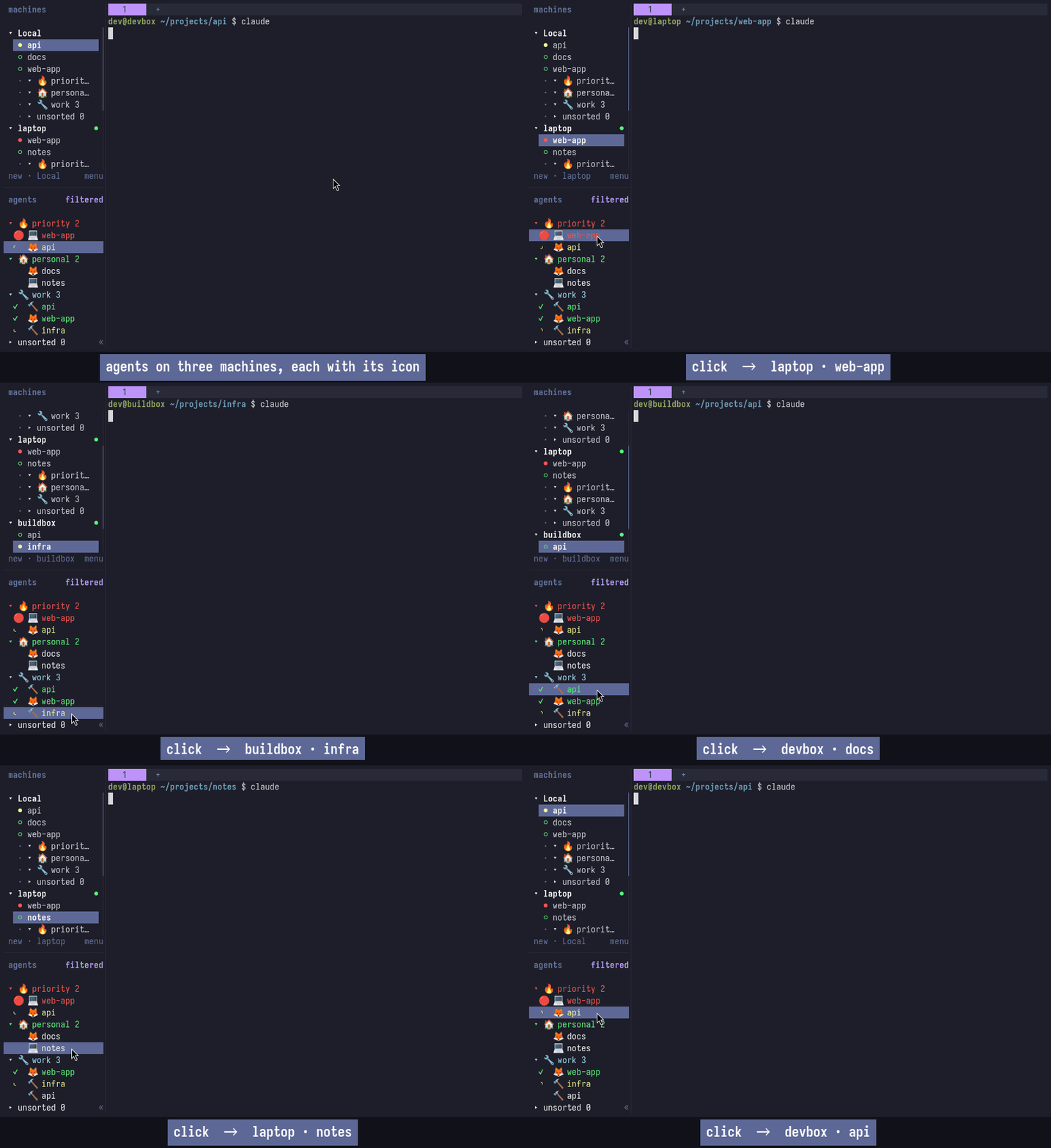
Machine names eat a sidebar row. herdr-machine-icons gives every pane its machine's icon as a token, so a row shows 🦊 instead of a hostname.
All three are Python 3 standard library, no server or binary: herdr plugin install Benjmhart/herdr-queues (and the
others), then the keys from each README. Bug reports and ideas are welcome on each repo.